Tampilkan postingan dengan label gt-s6102. Tampilkan semua postingan

Tutorial Flash Stock Rom / Install Ulang Samsung GT-S6102 Via Odin (NEW)

Tutorial yang berisikan cara mengatasi Samsung Galaxy Y Duos GT-S6102
yg mengalami Error / Bootloop / Brick / White Screen 
Dengan cara Flash Stock/Firmware bawaan Samsung Galaxy Y Duos GT-S6102


Oke agan agan sekalian .
Disini saya akan memberi sedikit ilmu tentang menginstall ulang kembali Y DUOS  atau bisa disebut dengan Flashing Stock ROM.
bagi agan agan yang cemas atau khawatir dengan kerusakan system pada HH , maka inilah obat yang sudah teruji berhasil pada HH ane :D
Oke langsung saja kita ke TKP .

WARNING !!!! BIASAKAN SEBELUM MELAKUKAN EXPERIMEN SELALU ANDA BACK UP TERLEBIH DAHULU DENGAN MENGGUNAKAN CWM .

Bahan Bahan :

1. Driver SAMSUNG KIES/USB driver download (PENTING !!!) Support Net-  Framework 4.0

2. Odin download

3. Yang Paling penting STOCK ROM SAMSUNG GALAXY Y DUOS download (kalau mau versi lain silahkan anda googling)

4. kabel data

5. Laptop atau PC 


Tutorial :

1. Download Seluruh ramuan :D simpan dalam 1 folder kemudian Extract S6102_DXMA2_OLBMA1_DXMA2 hingga menjadi 3 buah file .yaitu :

        A. PDA*****.tar.md5
        B. MODEM*****.tar.md5
        C. CSC*****.tar.md5

2. Install Driver Samsung KIES terlebih dahulu pada laptop / PC anda (saran : install Net-Framework 4.0 Terlebih dahulu biar tidak lama dalam proses penginstalan KIES nya)

3. Silahkan matikan Y DUOS , dan masuk ke dalam mode Download / Odin mode dengan cara : Tekan Bareng "VolDown+Power+Home"

4. Hubungkan Y DUOS anda dengan kabel data ke PC / Laptop / Tablet

5. double click Odin3 v1.85.exe hingga keluar Jendelanya .

(pastikan Y DUOS anda terdeteksi di Odin lihat kolom ID:COM biasanya kalo terdeteksi warnanya kuning dengan "ID: 0:[COM5]")

6. Pada menu cukup anda beri ceklis Auto Reboot dan F. Reset Time

7. Isi Kolom PDA: dgn PDA*****.tar.md5

8. Isi Kolom Phone: dgn MODEM*****.tar.md5

9. Isi Kolom CSC: dgn CSC*****.tar.md5
seperti gambar berikut:


10. Klik Start dan biarkan Odin melakukan Flashing


11.  Tunggu hingga proses berjalan...

12. Kalo selesai pastikan seperti berikut di ending:
 Odin Finish:
<ID:0/005> Completed
<OSM> All threads completed. (Succeed 1 / failed 0)
<ID:0/005> Removed!!!
seperti berikut: 


13. Y DUOS akan Reboot Otomatis

14. Tunggu beberapa saat hingga startup jangan dimatikan

15. Lanjutkan dengan Pendaftaran Akun Google dan seterusnya pada Y DUOS

Selamat Bertempur...


NOTE : Apabila Y DUOS anda bootloop silahkan lakukan Flashing STOCK ROM 2 Kali menggunakan ODIN.

Dan Apabila bermasalah dalam booting coba anda Masuk Ke Recovery Mode dan Lakukan  Wipe Data dan Wipe Cache partition :D


TERIMA KASIH :D

Custom ROM samsung galaxy Y duos GT-S6102 XDuosV3 1.2

Features and Whats New!!!

  • Zipalingned
  • Pre-Rooted
  • Init.d Scripts support
  • Nano text editor
  • Busybox Installed
  • Bash Shell Support
  • App2sd Enabled
  • Battery Saver, Ram and Net tweaks
  • 14 Status Bar Toggles
  • Custom Boot Animation
  • Swipe to Remove
  • Holo locker as Default Lockscreen
  • Added Root Explorer
  • XDuos Launcher themed from Chobits Go lancher
  • Mod Settings added tools from Chobits
  • Change some icons
  • Change email app to gmail name and icon
  • ICS Task switcher
  • And of course XDUOS wallpaper pick colours to match your shirts
INSTALLATION GUIDE

  • Download PKXDv3_ROM_1.3
  • Download ClockWorkMod
  • Put them in the Root of your SD Card not a Folder just ROOT
  • Switch off your phone
  • Go to Recovery mode by pressing Home+Volume up+Power Button
  • Use the volume keys to scroll Up and Down
  • Wipe DATA
  • Wipe CACHE
  • Choose Apply Update from SD card
  • Choose CWM -> you will boot into CWM Recovery which a yellow coloured text
  • Wipe DATA and CACHE again via CWM
  • Choose Install zip From SDCARD
  • Choose zip From SDCARD
  • THEN CHOOSE -> PKXDv3_ROM_1.3
  • Choose “yes”....
  • Wait for installation to be finished
  • After that Reboot your Phone
Screenshots for 1.2


CREDITS

samsoul16-> for 15 toggle statusbar pls. visit his thread here for some cool status bar made by him
Note:if you want statusbar mod by samsoul16 for this Rom make sure you rename lidroid-res to xduos-res in file zip

UCHIHA-> for Dolby mobile app of GIJ many thanks to him visit here

BLACKSTAR and tjbearX-> for support


Silahkan Download ROM di bawah ini: 

XDuosV3 1.2 HERE!! 
For ICSkeyboard install it like a normal APK here

BUG:
Calculator eror -_-Calulator FC flash this via CWM here!
DeskClock text bug flash this

Custom ROM Samsung Galaxy Y Duos GT-S6102 GINGERICEJELLY


FEATURES :


  • FULL MULTI LANGUAGE SUPPORT !!!
    • Indonesia
    • Malaysia
    • Ceska Republika
    • Danmark
    • Deutschland
    • Osterreich
    • Schweiz
    • Eesti
    • Australia
    • Ireland
    • New Zealand
    • Philippines
    • South Africa
    • United Kingdom
    • United States
    • Espana
    • Estados Unidos
    • France
    • Suisse
    • Eire
    • Hrvatska
    • Island
    • Italia
    • Latvija
    • Lietuva
    • Magyarorszag
    • Belgie
    • Nederland
    • Norge (Norsk)
    • Norge (Norsk Bokmal)
    • Polska
    • Brasil
    • Portugal
    • Romania
    • Slovenska Republika
    • Slovenija
    • Srbija
    • Suomi
    • Sverige
    • Viet Nam
    • Turkiye
    • etc...
  • CLEAN MULTI CSC SUPPORT !!!
  • Based On Original DXLK2 Firmware
  • Pre-rooted Super SU
  • Fully Deodexed
  • Zipaligned
  • Busybox Installed
  • init.d Scripts Support
  • Bash Shell Support
  • Nano Text Editor
  • sysrw/sysro support via terminal emulator
  • Custom Boot Animation
  • 15 Status Bar Toggles
  • Swipe to Remove Notification
  • A new Jelly Bean Task Manager (Recent apps List)
  • ROBOTO as System Font
  • New Look Settings with Aded Item
  • Ad-Hoc Connection Support
  • Build In Ad-Block Support /source by AdAway
  • Jelly Bean Look Keyboard
  • Jelly Bean Digital Clock
  • Holo Launcher as Default Launcher
  • Holo Locker as Default Locker
  • Holo Notifier Implemented ( You Must Upgraded To Holo Launcher Plus To Use This )
  • Es File Explorer as Default Explorer
  • No-frills CPU as CPU Control
  • Better GPS
*Special Features :
  • Bundled Compact Kernel /special build - by Nitubhaskar
  • V3 Supremacy Trilogy Script ( as Default Tweak )
  • V6 SuperCharger Implemented ( need to activate )
  • AkuroData2SD Implemented ( need to activate )
  • SpareParts
  • Mooded Bravia Enggine
  • Mooded Beats Audio
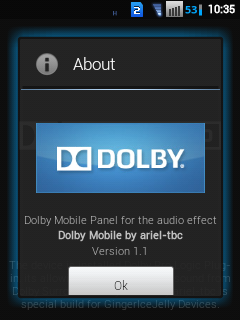
  • Mooded Dolby Mobile by Dolby Surround
  • XLoud
*Tweaks :
  • IMPROVE DATA PACKET
  • IMPROVE WIRELESS CONNECTION
  • IMPROVE SCAN INTERVAL OF WIFI
  • IMPROVE PERFORMANCE OF DEVICE/TABLET ANDROID
  • IMPROVE DALVIK
  • IMPROVE REBOOT
  • IMPROVE STREAMING
  • IMPROVE PHOTOS & VIDEOS QUALITY
  • IMPROVE JPEG QUALITY IMAGE
  • IMPROVE UI PERFORMANCE
  • SMART SLEEP MODE
Download & Installation Guide

DOWNLOAD :

Most Recent File Is The Latest One...

SINGLE LINK
Download : GingerIceJelly v1.3.RC1 (http://www.mediafire.com/?488kh4d2nn7urcs)


SINGLE LINK by BLACKSTAR
He Will Give Us Mediafire Single Link, From My Sharing Account With Him

When I Still Not Have Time To Update In Here, You Can Get Latest Link by Him In

INSTALLATION GUIDE :

*Basic Install :
  • I Recomended To Use Fresh Stock Firmware
  • Download GingerIceJely ROM
  • Download ClockWorkMod
  • Put Booth In SD Card
  • Switch off your phone.
  • Go to Recovery mode
  • Use the volume keys to move up and down.
  • Wipe data
  • Wipe Cache
  • Choose Apply Update From SDCard
  • Choose CWM - > You Will Boot Into CWM Recovery
  • Wipe Data & Cache Again Via CWM
  • Go To Advanced
  • Wipe Dalvik Cache
  • Wipe Battery Stats
  • Press Back Button
  • Go To Mounts And Storage
  • Mount /data , /sdcard , /system (if /system already mounted Skip mount /system)
  • Press Back Button
  • Choose Install zip From SDCard
  • Choose zip from SDCard
  • NOW CHOOSE : GingerIceJelly vx.x.x.zip
  • Choose "yes"
  • It will Be Installed.
  • After Finished Reboot Your Phone
  • First Boot Will Take Time. Be patient.
  • If You Have Followed EVERYTHING Above Carefully, You Will Soon Boot Up To Your New Rom
  • Signin as Usually
  • And Please Wait Until Media Scanning Is Completed
ENJOY!!!

Update & Theme

Quote:
UPDATE :

* For Manual Download and Manual Flash Update
* Most Recent File Is The Latest One...

Quote:
  • OTA-UPDATE v1.3.RC2
Quote:
New Changelog :
- Still Same Version, But....
- It Will Allow You To Squential Update In Future
- I'm Sorry About "Litle Change But Big Size"

Old Changelog :
- Remove SmartTools
- Replace JellyBeanKeyboard to ICSKeyboard v2.0.1
- Replace SetCPU to No-frillsCPUControl v1.26-r1
- Updated GooglePlayStore v3.10.10
- Updated TubeMate v1.05.45.275
- Fix Settings.apk
DOWNLOAD : Update to GingerIceJelly v1.3.RC2
Quote:
  • OTA-UPDATE v1.3.RC3
Quote:
Changelog :
- Support "Theme Name" In "About Phone"
- Added Special GIJ Camera
- Added Moded Touchwiz
- Added GIJ Font as Choice
- Default Font Changed
- Litle Change SystemUI
- Update Contact
- Update Dialer
- Update Memo
- Update Message
- Update Music
DOWNLOAD : Update to GingerIceJelly v1.3.RC3
Quote:
  • OTA-UPDATE v1.3.RC4
Quote:
Changelog :
- Improve Stability
- Improve Performance
- Improve UI With NEW Interface
- FIX WiFi
- NEW SMOOTH Scroling Method DXLK2
- Remove SMS Log In Call Log
- Update Es File Explorer
- Update FmRadio - Jelly Bean Style
- Update Holo Launcher
- Update Tubemate
- Update Google Maps
- Update Terminal Emulator
DOWNLOAD : Update to GingerIceJelly v1.3.RC4

ALSO READ THIS NOTE : "v1.3.RC4 NOTE"
Quote:
  • OTA-UPDATE v1.3.RC5
Quote:
Changelog :
*GingerIceJelly Goes Global Support*
- GLOBAL MULTI CLEAN CSC
- Multi Language BETA
- FIX WiFi
- FIX FC In Text App
- Many More FIX
- Rename ES File Explorer
- Remove Standard Task Manager
- NEW Install ES Task Manager
- Rename Holo Launcher
- Update Host
- Update Holo Launcher
- Update OTA Updater
- FLASH PLAYER INSTALL SUPPORT
DOWNLOAD : Update to GingerIceJelly v1.3.RC5

FOR FLASH PLAYER CHECK HERE : "OTHERS" Section
Quote:
  • OTA-UPDATE v1.3.RCf
Quote:
Changelog :
* SPECIAL TRIPLE RELEASED !!!
- Patch Activate v6Supercharger
- Full App Features Unlocker
- OTA-Update :
'FULLY REDIFINE UI
'FULLY HOLO THEMED .apk
'FULLY MULTI LANGUAGE SUPPORT
'REAL IMPROVE PERFORMANCE
'Fix Run CPU Control via Settings
'Fix Long Press Home Button
'Back TO Stock Task Manager
(For Swype To Kill App In v2)
'Updated MOODED Touchwiz
'Updated HOST
'MODED Mms.apk
(Up TO 1000 Receipent)
(1000 SMS Before Converted To MMS)
(Break Character Limited Size)
(New Smiley)
(RealTime Sender)
(Break MMS Limited Size)

* This Last Update For v1 RC !!!
* StayTuned GIJ v2 RC !!!
DOWNLOAD : Update to GingerIceJelly v1.3.RCf

ALSO READ THIS NOTE : "v1.3.RCf NOTE"


Quote:
THEME :

* There Are THEMES For GingerIceJelly
* Most Recent File Is The Latest One...

Quote:

*THEME by tjbearX


FEATURES : Ask tjbearX

DOWNLOAD : First Teme GingerIceJelly RELEASE PREVIEW by tjbearX 

INSTALLATION : Ask tjbearX

  • DirtyIceCream V 1.0 THEME

Quote:
SCREENSHOOT :


Quote:
FEATURES :
  • ICS background
  • Default Samsung LockScreen With Modded .png's ( imported from an awsome theme of jellyblast rom )
  • White Mood Icons
  • Updated Holo Locker With Version 1.1.5 (plus)
  • Updated Holo Notifier With Version 1.3
  • Resized Textsize
  • Chrome Added
  • ICS Colored ES Explorer
  • Dark ICS Themed FM Radio
  • None Transparent Dialer Background
  • Fixed Settings, Mms etc... Background
  • New Fonts In Package ( default replaced )
  • Tabbed Jelly Bean Status Bar ( edited .png's )
  • Xperia Home Launcher Added
  • Xperia Home Corner
  • StatusBar Greper ( package with tabbed statusbar of samsoul16 )
  • Dcsms-Weather ( package: same as above )

NOTE :
- Please Visit The Tabbed Status Bar Thread (original) For More Details And Knows How It Works
- If You Want The Original Tabbed StatusBar Made by samsoul16 You Can Download It HERE 
- Be Sure That You Give Him Thanks

Quote:
DOWNLOAD :

DOWNLOAD : DirtyIceCream V 1.0 THEME

NOTE :
- Forgive Me If The Theme File Is Large
- I Put The System Apps There And Not Only Icon Pack
- I am Working For Icon Update And UnDoing Edited Icons To Default One
- Please Visit And Post Regularly With In This Thread For Updates And Many More All About The ROM

Quote:
INSTALLATION GUIDE :
  • Download DirtyIceCream V 1.0 THEME
  • Download ClockWorkMod ( if you have skip this )
  • Put Booth In SD Card
  • Switch Off Your Phone.
  • Go to Recovery Mode
  • Use The Volume Keys To Move Up And Down.
  • Choose Apply Update From SDCard
  • Choose CWM And You Will Boot Into CWM Recovery....
  • Choose Install zip From sd card
  • Choose zip from SDCard
  • Choose DIrtyIceCream V 1.0.zip
  • Choose yes.......
  • After That Your System Installing The Theme
  • After The Theme Installed Press Power Button
  • Choose Reboot..
  • Done
  • You Have Installed The Theme Successfully !!!!

NOTE :
- This Theme Is Tested Only With GingerIceJelly ROM With Version RC2 to Above...
- Again, I am Not Responsible For Any Damages.
- Please Do It At Your Own Risk...

- - - ENJOY EVERY THEME by ME - - -
Thanks a Lot For Downloading This Dirty Theme Messed by Me

Source : http://forum.xda-developers.com/